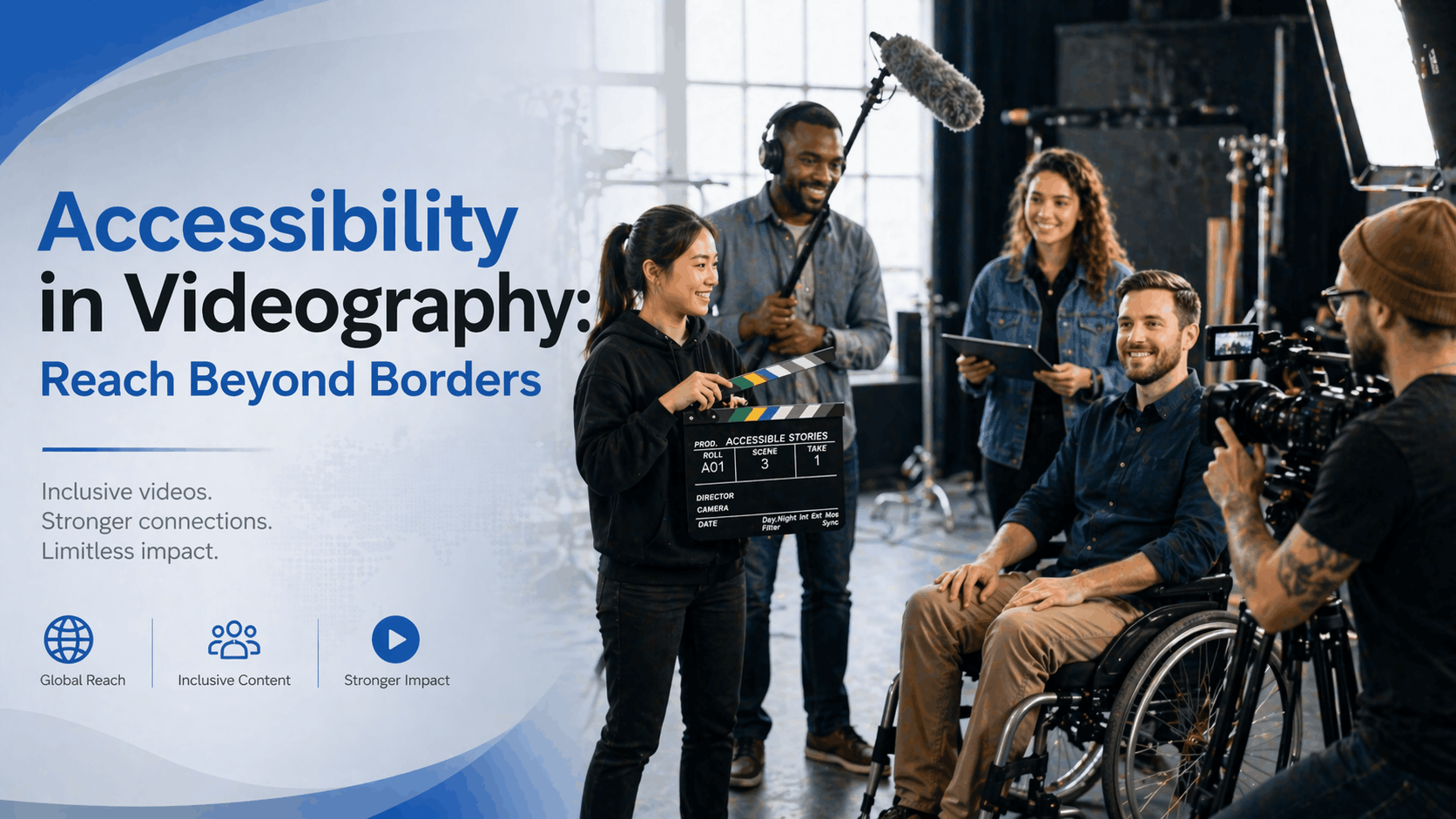
Here’s something most businesses don’t talk about openly. Right now, there’s a massive audience of 1 billion disabled people worldwide, and many of them can’t watch your videos properly. Not because they’re not interested. Not because your content isn’t good. But simply because your videos aren’t accessible.
This isn’t about being nice or feeling good about helping people. This is about business. Real business. The kind that directly impacts your bottom line.
Think about it. If you could reach an entirely new market with minimal effort, wouldn’t you do it? That’s exactly what accessible videography offers. Yet most companies are ignoring it completely.
Introduction: Why Your Videos Need to Be Accessible Now
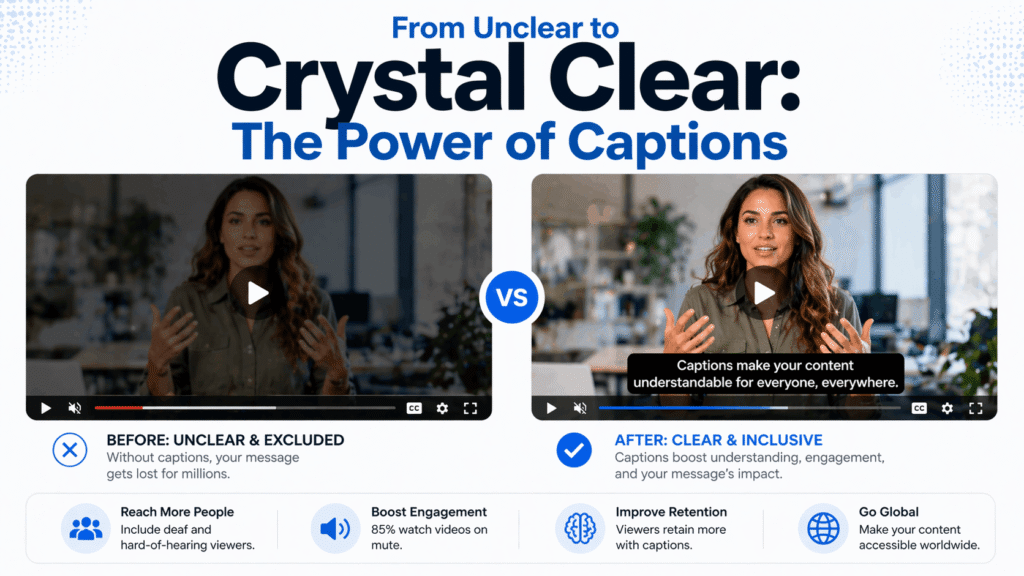
Visual comparison showing video accessibility transformation with captions and audio descriptions enabling better understanding for deaf and blind audiences”
Image Alt Text: “Before and after video accessibility demonstration showing the impact of captions and audio descriptions on viewer comprehension
Your video is uploaded. The lighting looks perfect. The colors pop. The message is clear. You hit publish and wait for the views to roll in.
But here’s what you might not realize. Someone trying to watch your video at work can’t turn up the volume. Someone with hearing loss can’t understand a word. Someone who’s blind is getting zero value from all those visual details you spent hours perfecting.
And here’s the kicker – that’s not just their loss. It’s your loss too.
The massive opportunity you’re missing right now
According to the World Health Organization, about 1 in 6 people globally experience disability. For video content, this translates to over 1 billion potential viewers you might be excluding without even realizing it.
Deaf and hard of hearing people make up about 430 million of that number. Blind and partially sighted people account for 43 million more. Add neurodivergent viewers who struggle with fast-paced or complex content, and you’re looking at a huge chunk of the global population.
These aren’t niche numbers. These are massive markets that most brands completely overlook.
What does accessibility in videography actually mean?
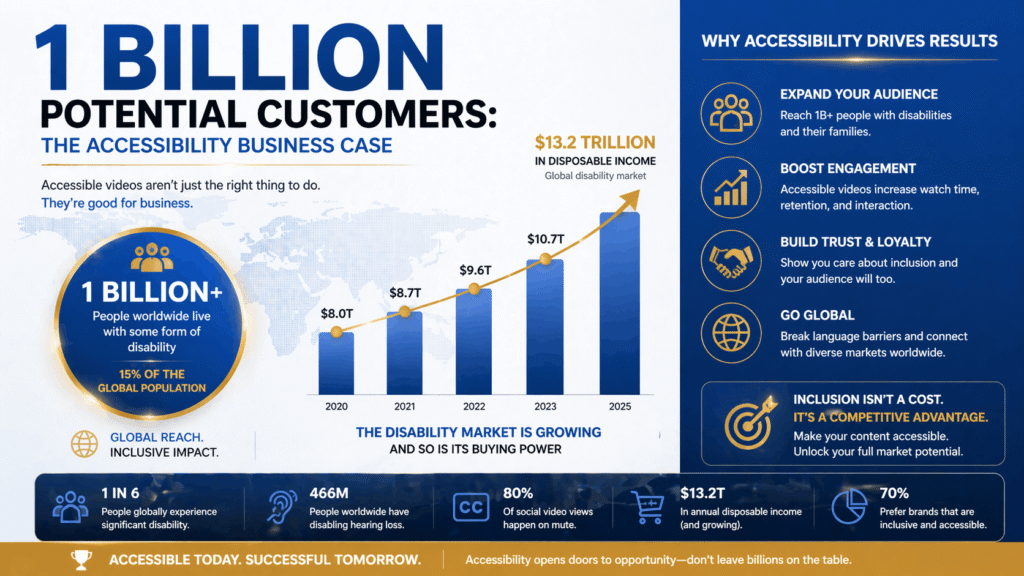
Infographic demonstrating business case for video accessibility with market reach statistics and legal compliance requirements”
When we talk about accessibility in videography, we’re talking about making your video content usable for everyone, regardless of their abilities. This includes people who are deaf, hard of hearing, blind, have low vision, or face cognitive challenges.
The two main tools for this are captions and audio descriptions. They sound simple. They are simple. But their impact is enormous.
Why businesses are waking up to this reality
Legal compliance is catching up. More countries are requiring captions and accessibility features in video content. The Americans with Disabilities Act (ADA) already applies to digital content in the United States. Europe has similar regulations. India’s Digital India Act is pushing accessibility standards too.
But it’s not just about avoiding legal trouble. Forward thinking brands are realizing that accessible content is better content for everyone. Not just disabled users. Everyone.
Understanding Accessibility in Videography
Let’s break down what actually makes a video accessible.
What are captions and why they matter
Captions are text displays of the audio in your video. When someone can’t hear your dialog, captions show them exactly what’s being said. More importantly, captions show sound effects, music cues, and other audio information too.
“[Door slams loudly]” is a caption. So is “[Uplifting music plays].” These small additions transform your video from something unwatchable to something completely understandable.
The impact goes beyond just deaf audiences. Students watching videos for learning, people in noisy environments, people watching without headphones – they all benefit from captions. Actually, 85% of videos watched on social media are watched without sound. That’s your entire audience right there.
What are audio descriptions and how they work
Audio descriptions are a separate narration track that explains what’s happening visually in your video. Think of it like having someone sitting next to you describing every scene, every gesture, every on screen text.
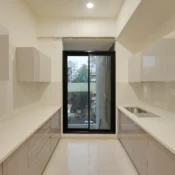
In a real estate walkthrough video, an audio description might sound like: “The camera pans across a modern kitchen with white marble countertops and stainless steel appliances. Large windows flood the space with natural light.”
For someone who can’t see the visuals, this audio track makes the entire experience meaningful instead of confusing.
Other accessibility features beyond captions
Captions and audio descriptions are the heavy hitters, but they’re not the only considerations. Clear, high contrast text on screen matters. Avoiding rapidly flashing lights protects people with epilepsy. Using clear language instead of industry jargon helps everyone understand better.
Fast paced editing and quick cuts can disorient viewers with cognitive disabilities. Proper lighting and color contrast help people with low vision.
The Business Case for Accessible Videos
Here’s where this gets real. Accessibility isn’t just morally right. It’s a business investment that pays back immediately.
Legal requirements and compliance issues
In many developed countries, accessibility isn’t optional anymore. The ADA applies to digital content. Under UK law, publicly funded organizations must meet WCAG accessibility standards. Similar laws exist in Canada, Australia, and increasingly across Europe.
Non compliance can mean fines, lawsuits, and reputation damage. Companies have been sued for inaccessible videos. The costs add up fast. The smart move is to build accessibility in from the start.
But more important than avoiding legal headaches is the opportunity you gain.
How accessibility expands your market reach
When you add captions and audio descriptions, you’re instantly making your content available to millions of new viewers. For corporate videos, this means your training materials reach more employees. For marketing videos, you reach more customers. For real estate videos, accessibility features make your property listings accessible to more buyers.
Professional videography services understand this shift. When companies add proper captions and audio descriptions to their corporate video production and drone photography content, engagement goes up. Views go up. Conversions go up.
This isn’t coincidence. It’s because you’re simply reaching more people.
Real numbers: The 1 billion disabled viewers waiting for you
The math is straightforward. 1 billion disabled people. Most have internet access. Many prefer video content just like everyone else. They have money. They make purchasing decisions. They watch your competitors’ content.
The only question is: are they watching yours?
Captions Explained: Adding Text to Your Videos
Let’s get practical. How do you actually add captions?
How captions work in different types of videos
Captions can be burned into the video itself or added as separate files that viewers can turn on or off. YouTube allows viewers to toggle captions. Social media platforms support caption files. Professional video players support multiple caption formats.
The format you use depends on where your video lives. YouTube videos should have SRT or VTT files uploaded. Social media content can use burned in captions or caption files. Professional platforms used for real estate video production or corporate content might support multiple formats.
The difference between captions and subtitles
Captions include all audio information: dialogue, sound effects, music cues, everything. Subtitles are typically just the translated or transcribed dialogue.
For accessibility, captions are what you need. They’re complete and informative.
Tools and platforms for adding captions easily
You don’t need expensive software. Rev, 3Play Media, and Descript can auto generate captions. YouTube does this automatically. Subtitle Edit is free and open source.
Many of these tools use AI to generate a first draft. You then review and correct. It takes maybe 30 minutes for a 10 minute video.
Best practices when captioning your content
Place captions where they won’t cover important visuals. Use proper punctuation and formatting. If multiple people are speaking, identify who’s talking. Include speaker labels when necessary.
For a videography service like Cinematic 360, captions should match the brand voice. Keep them professional but human. Never rely only on auto generated captions without review.
Audio Descriptions: Making Your Video Content Accessible to Blind Viewers
Audio descriptions require more work than captions, but the payoff is enormous for blind and low vision audiences.
How audio descriptions help visually impaired audiences
Without audio descriptions, a visually impaired person watching a video only hears dialogue. They miss 99% of the information if the video is mostly visual storytelling.
An audio described video adds a separate narration track that plays during natural pauses in dialogue, explaining what’s happening on screen. Suddenly, a video that was useless becomes completely understandable.
When audio descriptions are actually necessary
You need audio descriptions when visual information is important to understanding the content. Real estate videos? Absolutely. Product demonstrations? Yes. Documentaries and story driven content? Definitely.
A simple interview video where someone is just talking might not need them, but even then, they help if there are important on screen graphics or locations.
How to write effective audio descriptions
Keep them concise. Describe what’s essential, not every tiny detail. Use present tense and active voice. Be specific. “A person walks into a room” is vague. “A woman in a blue dress walks into a modern office space” gives actual information.
Audio descriptions should enhance understanding without being distracting.
Software and services that make audio descriptions easier
Professional services like 3Play Media or Rev offer audio description creation. It costs more than captions but still reasonable, usually around 2 to 5 per 10 minutes of video.
For DIY approaches, you can record audio descriptions yourself using simple software. Then sync them with your video file.
Accessibility Tips Your Video Production Team Should Know
Whether you work with a videography service or create content in house, these principles matter.
Plan for accessibility from the beginning
Don’t treat accessibility as an afterthought. Build it into your shooting and editing process. Plan your shoots knowing you’ll need to describe visuals clearly. Script your dialogue knowing it will need captions.
This actually makes better content overall. Clearer dialogue. Better composition. More intentional framing.
Use clear language and good lighting
Avoid industry jargon unless your audience understands it. Speak clearly and at a moderate pace. Use proper lighting so faces and important details are clearly visible.
These simple principles help everyone. Captions are easier to read when dialogue is clear. Audio descriptions are easier to write when visuals are well lit and composed.
Color contrast matters more than you think
People with low vision depend on strong contrast between text and background, and between different visual elements. Avoid light text on light backgrounds. Avoid light gray text.
This is a technical requirement for accessibility, but it’s also just good design.
Avoid flashing lights and rapid movements
Rapidly flashing lights can trigger seizures in people with photosensitive epilepsy. Rapid cuts and movements can disorient viewers with cognitive disabilities or ADHD.
Modern video editing practices are generally safe here, but be aware of this when creating effects or transitions.
Common Mistakes Companies Make with Accessible Videos
Most companies don’t set out to exclude people. They just make preventable mistakes.
Auto generated captions that don’t work
Automatic captions are a good starting point but terrible when used as a final product. AI still misses context. It gets accent heavy speakers wrong. It struggles with proper nouns and technical terms.
Always review and correct auto generated captions. It takes an hour, not a day, and makes an enormous difference.
Forgetting about audio descriptions entirely
This is the big one. Most videos have captions now. Very few have audio descriptions. Yet audio descriptions unlock content for millions of blind and low vision viewers.
Start including them in your process. You’ll reach more people immediately.
Making videos that are hard to follow anyway
Even with captions, a video is useless if the content is confusing. Unclear narration, poor pacing, too much information at once – these problems affect everyone, not just disabled viewers.
Accessible videos are just better videos.
How to Get Started with Accessible Videography
Ready to make your next video accessible? Here’s your action plan.
Quick checklist for your next video project
Plan for captions from day one. Create clear script. Record clean dialogue. Use good lighting. After editing, add SRT or VTT caption files. Review and correct auto generated captions. Consider audio descriptions for visual heavy content. Test the video with accessibility in mind.
That’s it. This process adds maybe 2 to 3 hours to a typical project.
Tools that make it simple
Use Descript for transcription and basic captions. Use YouTube’s built in caption tools if you’re uploading there. Use Rev or 3Play Media for professional services. Use Subtitle Edit for manual caption creation and editing.
For audio descriptions, services like Descriptive Video Works or Audio Description Associates handle the professional work.
Budget friendly options for small businesses
DIY captions cost nothing. Your time is the only expense. Paid services range from 50 to 200 per video depending on length and complexity.
For real estate videography, corporate video production, or commercial work, accessibility services are a small percentage of your total production cost. The impact on reach and credibility is massive.
The Future of Video Accessibility
Technology keeps making this easier.
Technology is making it easier than ever
AI is getting better at captions every year. Some platforms now auto generate audio descriptions. Live captioning is becoming standard in streaming platforms.
In two years, accessibility won’t be a special service. It’ll be the baseline expectation.
What successful brands are already doing
Netflix, Apple TV, and YouTube all prioritize accessibility. Smaller brands doing ecommerce photography, commercial videos, and corporate content are waking up to this too.
Forward thinking videography services are building accessibility into their standard offerings.
Why this is becoming the standard, not the exception
Because it’s the right business decision. More viewers. Better reach. Legal compliance. Improved brand reputation. It’s a no brainer.
Conclusion: Make Accessibility Your Competitive Advantage
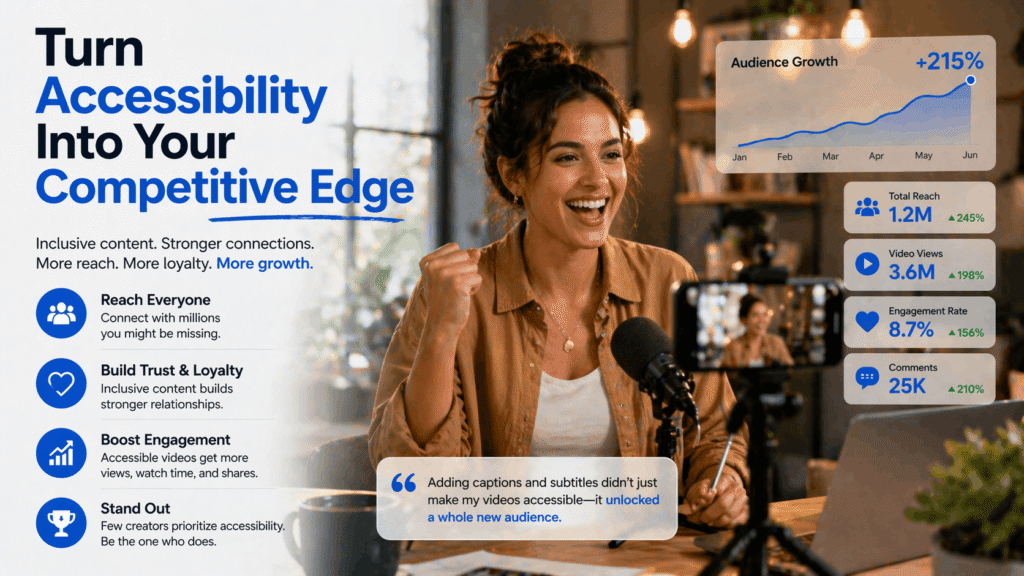
Successful videographer demonstrating how accessibility in videography creates competitive advantage, expands audience reach, and drives business growth
Here’s the bottom line. Accessibility in videography isn’t a burden. It’s an opportunity. An opportunity to reach more people, expand your market, meet legal requirements, and build better content overall.
Your next video is an opportunity. Will you make it accessible?
Whether you’re working with professional videography services for corporate video production, real estate photography, or commercial content, accessibility should be part of the conversation.
Start small if you need to. Add captions to your next video. Include audio descriptions on your best performing content. Build these practices into your workflow.
The 1 billion disabled viewers are waiting. Your competitors aren’t reaching them yet. That’s your competitive advantage right there.
Make your videos accessible. Reach more people. Grow your business.
That’s the whole story.